 By Bemi Brooks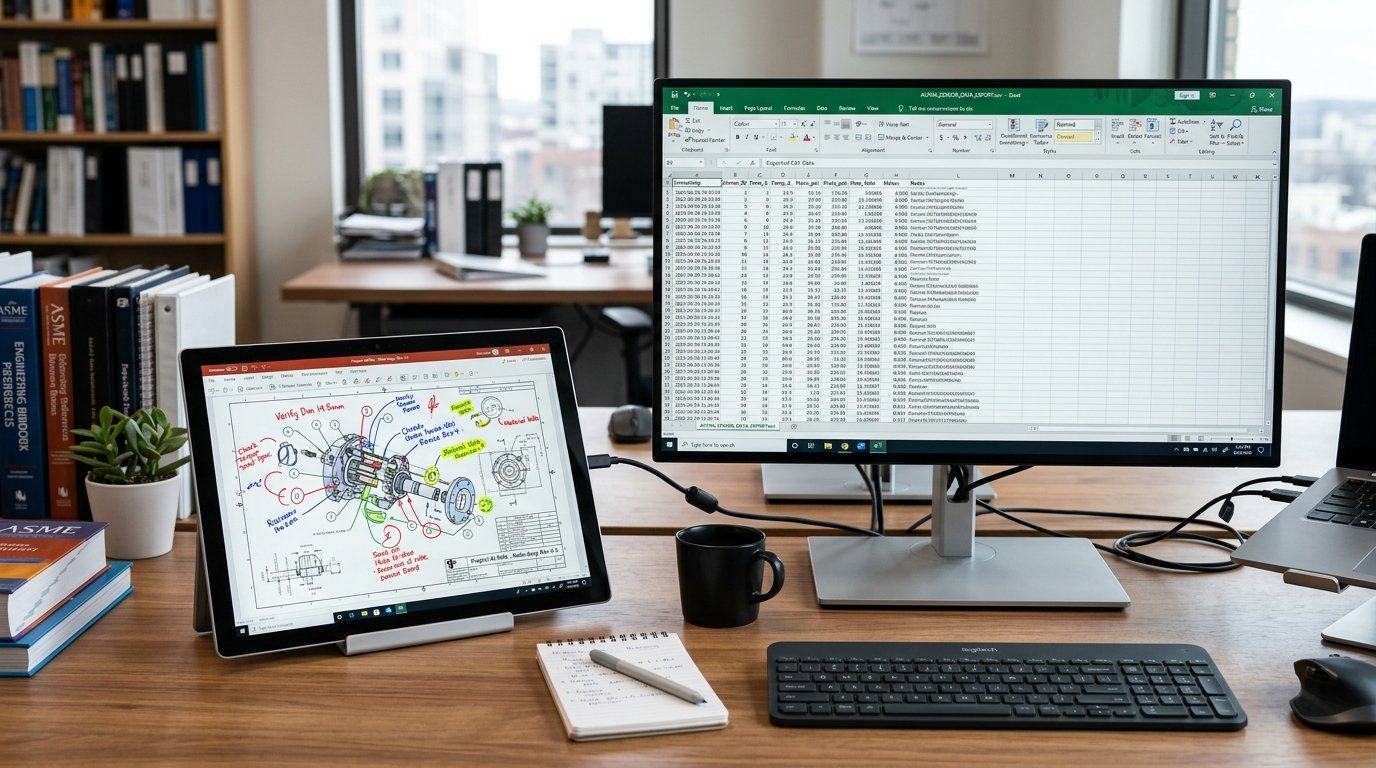
Have you ever received a crucial PDF contract, blueprint, or research paper only to find it locked down with editing restrictions? You want to highlight key sections, scribble questions in the margins, or add detailed feedback, but you are stuck. Printing it out feels wasteful, and creating separate note files breaks your workflow. Enter AxelaNote, a game-changing PDF annotation tool that lets you add smart, non-destructive layers on top of any document without touching the original.
This guide walks you through everything you need to know about AxelaNote. Whether you are a lawyer reviewing contracts, an engineer marking up drawings, a project manager coordinating team feedback, a researcher organizing findings, or a student annotating lecture slides, you will discover how this tool transforms frustrating limitations into smooth, productive workflows.
Why Traditional PDF Markups Fall Short
Most professionals spend hours wrestling with PDFs. You open a file in a standard viewer, and suddenly you realize you cannot highlight, draw, or comment freely. Restricted PDFs block changes for security reasons, which makes sense for the creator but creates headaches for everyone else.
Think about a typical day for a corporate trainer preparing materials or a researcher compiling data from multiple sources. You end up with notes scattered across sticky notes, separate Word files, email threads, and screenshots. Version control turns into chaos when colleagues send back edited copies. One small update to the base document, and all your annotations vanish or require tedious redoing.
These pain points slow down document review workflows dramatically. Teams waste time printing, scanning, and reconciling changes. Students lose context when notes do not stay attached to the source material. AxelaNote directly addresses these issues with its innovative digital overlay layer approach.
What Is AxelaNote and How Does the Layering Work?
AxelaNote is a Windows-based PDF annotation tool developed by TransRecog that uses patented technology to place a transparent, editable layer over your documents. The original PDF remains completely untouched and secure. You add highlights, handwritten notes with stylus input, text comments, arrows, shapes, and more on the overlay.
Imagine it like placing clear acetate sheets over a paper document in the old days. You write on the sheet, but the paper underneath stays pristine. With AxelaNote, you can toggle layers on and off, color-code them for different team members, and even stack multiple layers on the same file. This non-destructive document markup keeps everything organized and reversible.
The tool shines with stylus input optimization. On devices like Microsoft Surface or Wacom tablets, handwriting feels natural and responsive, almost like writing on real paper. This makes it one of the best stylus note taking software options for Windows users who prefer freehand input over typing.
Key Features That Set AxelaNote Apart
AxelaNote packs practical tools tailored for heavy document users. Here are the standout capabilities:
- Non-Destructive Overlay Layering: Annotations live separately from the PDF. Update the base document, and your notes intelligently adapt in many cases.
- Support for Restricted PDFs: Bypass editing locks without compromising security. Perfect for how to annotate restricted PDFs scenarios common in legal, engineering, and corporate settings.
- Multi-Layer Document Comments: Assign layers to individuals or teams with color coding. Hide or show specific feedback to reduce clutter during reviews.
- Stylus and Handwriting Excellence: Optimized pressure sensitivity and smooth lines for diagrams, signatures, and detailed markups.
- CSV Data Extraction: Pull structured data from annotations or document text into spreadsheets. Researchers and analysts love exporting PDF notes to CSV for further analysis in tools like Excel.
- Automatic Numbering and Page Management: Quickly label items sequentially and handle large documents up to hundreds of pages efficiently.
- Version Control and Diff Tools: Companion features help visualize changes between document versions, cutting down on team version control chaos.
These features combine to accelerate document review workflow for entire teams.
How AxelaNote Solves Real-World Problems
Consider Sarah, a project manager at a mid-sized engineering firm. Her team reviews complex technical drawings daily. Before AxelaNote, they printed massive sets of blueprints, marked them up by hand, scanned them back, and emailed versions around. Errors crept in, and tracking who said what became impossible.
After adopting the tool, Sarah’s team now works directly on digital PDFs. Each department gets its own colored layer. Comments stay linked to the original, and when a revised drawing arrives, previous annotations carry over where possible. Review cycles that once took days now finish faster, with clearer communication.
In legal practice, attorneys like Michael use private layers for internal thoughts while sharing clean annotated versions with clients. The secure document review solutions aspect ensures compliance without sacrificing productivity.
Researchers benefit hugely from the spreadsheet data extraction. One academic I spoke with extracts key data points from dozens of papers into CSV format, then analyzes trends quickly. No more manual copying from highlighted PDFs.
Students appreciate the stylus support during lectures or while studying dense textbooks converted to PDF. Notes stay with the material, making revision sessions more effective.
Corporate trainers distribute materials that participants can annotate personally, creating customized learning resources without extra effort.
Step-by-Step: Getting Started with AxelaNote
Ready to try it? Here is how to begin:
- Download and install from the official site (Windows 10 or 11 required).
- Open any PDF in AxelaNote or compatible viewer.
- Create a new annotation layer with one click.
- Start marking up using mouse, keyboard, or stylus.
- Organize with colors, labels, and multiple layers.
- Export annotations, merge feedback, or generate CSV reports as needed.
- Share the layered file securely with colleagues.
The interface feels intuitive if you have used basic PDF viewers. Tutorials and quick guides are available for deeper features like layer management and data export.
Pro Tip: For team collaboration, establish naming conventions for layers early, such as “Legal-Review-Red” or “Engineering-Notes-Blue”. This keeps multi-layer document comments from becoming overwhelming.
AxelaNote vs. Other PDF Annotation Tools
Many options exist, but few match AxelaNote’s focus on non-destructive layering for restricted files.
Standard tools like Adobe Acrobat often require full editing rights or embed changes directly. Browser-based annotators work for simple tasks but lack depth for professional stylus work or large-scale collaboration.
AxelaNote stands out for its balance of power and simplicity. It does not try to be a full PDF editor. Instead, it excels at smart overlay annotation, making it ideal for professionals who need to respect document security while adding rich feedback.
| Feature | AxelaNote | Adobe Acrobat | Basic Viewers (Edge, etc.) |
|---|---|---|---|
| Non-Destructive Layers | Excellent | Limited | None |
| Restricted PDF Support | Yes | Requires permissions | No |
| Stylus Optimization | Outstanding | Good | Basic |
| CSV Export from Annotations | Yes | Complex | No |
| Multi-User Layer Management | Strong | Moderate | Weak |
| Price Point | Budget friendly | Subscription | Free (limited) |
This comparison highlights why many switch to AxelaNote for daily heavy use.
Advanced Workflows for Power Users
Beyond basics, explore these techniques:
- Team Collaboration Setup: Use separate layers per reviewer and consolidate feedback before finalizing.
- Data-Driven Analysis: Export comments to CSV, then use spreadsheet formulas to categorize issues by severity or department.
- Large Document Handling: Manage files with hundreds of pages, including automatic numbering for figures or sections.
- Integration with Existing Tools: Pair with Acrobat Reader for viewing and AxelaNote for annotation.
Engineers working on construction drawings particularly appreciate how notes persist through document revisions.
Pricing and Accessibility
AxelaNote offers flexible licensing that suits individuals and organizations. Options include user-based or device-based annual plans, making it a budget friendly professional PDF markup tool. Trial periods let you test it thoroughly before committing.
For teams, the return on investment comes quickly through time savings and reduced printing costs.
Potential Drawbacks and Considerations
No tool is perfect. AxelaNote is Windows-focused, so Mac or mobile-heavy users might need workarounds. Large documents require decent hardware, though minimum specs are reasonable. Internet connection is needed for license checks, with offline options available for some setups.
These limitations rarely affect the target users who work primarily on Windows desktops or tablets in professional environments.
Measuring Success: Real Results
Organizations using AxelaNote report significant gains. One government pilot showed around 30% improvement in document checking efficiency. Construction and manufacturing firms reduced paper usage dramatically while maintaining traceability for audits.
These outcomes come from solving core issues: information stays contextual, collaboration stays centralized, and originals remain secure.
3 Tips to Try Today
- Start with one important but restricted PDF in your workflow and add a single layer of notes to experience the difference.
- Experiment with stylus input if you have a compatible device. The natural feel often converts skeptics immediately.
- Set up a team template with pre-defined layers and share best practices for consistent markup.
What part of your document-heavy day feels most painful right now? AxelaNote likely has a solution.
Give it a try and see how layering changes your approach to PDFs. You might wonder how you managed without it.
You May Also Like: What Is lersont232? A Complete Beginner’s Guide
FAQs
Is AxelaNote free to try?
Yes, it offers a trial period so you can test all features, including stylus support and layer management, before purchasing.
Can I use AxelaNote on restricted PDFs?
Absolutely. The overlay system works regardless of security settings on the original file.
How does CSV export help in professional workflows?
It turns annotations into structured data for spreadsheets, enabling easy sorting, filtering, and reporting of feedback or findings.
Does it support collaboration for teams?
Yes, through multiple color-coded layers that keep everyone’s comments organized in one file.
What devices work best with AxelaNote?
Windows PCs with stylus support like Surface tablets deliver the best experience, but mouse input works well too.
How secure are my annotations?
Layers stay separate from the original PDF, and you control sharing. Original files remain unchanged.
Is it suitable for students as well as professionals?
Definitely. Students benefit from organized notes on lecture materials and easy export for study aids.