 By Bemi Brooks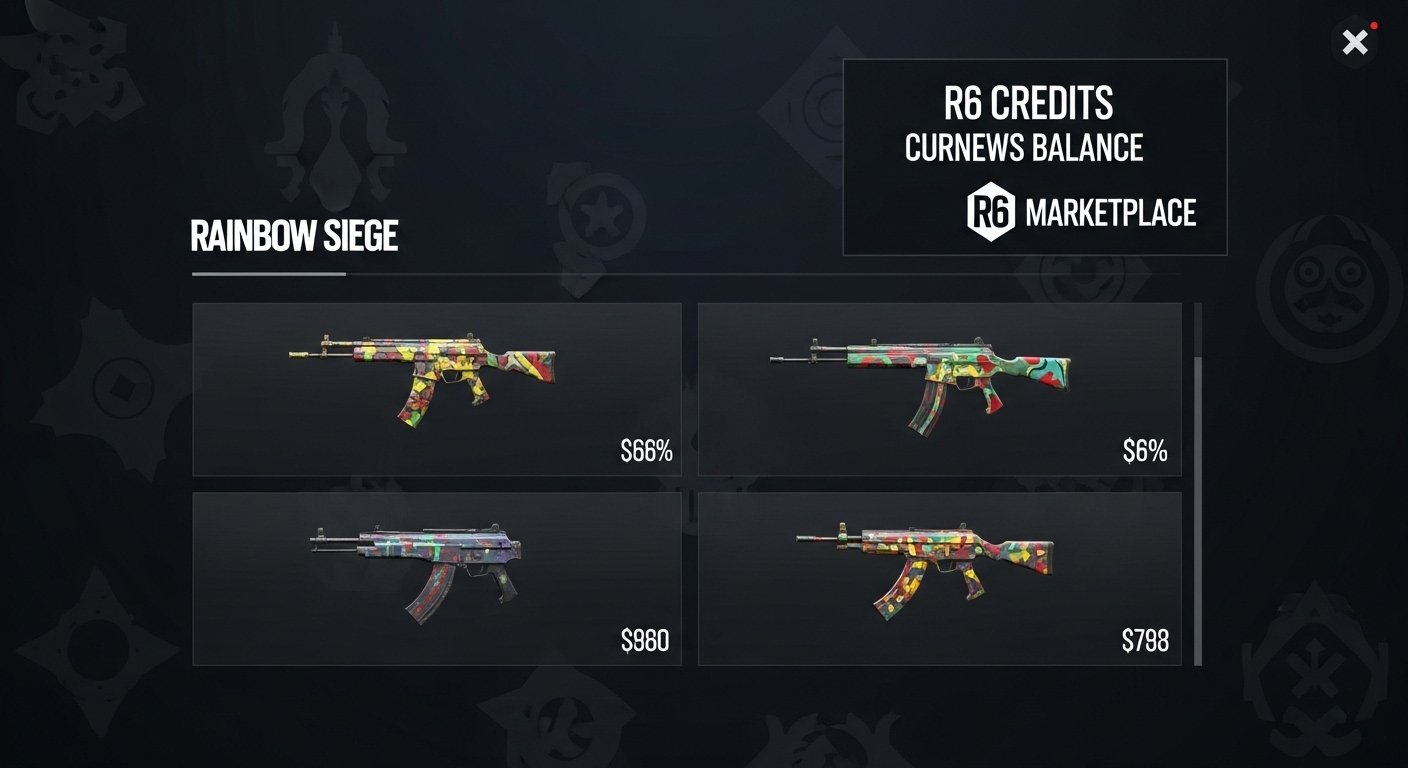
Ever stared at that Black Ice skin sitting in your inventory and thought, man, I could really use some extra R6 Credits for that legendary operator bundle instead? Or maybe you finally pulled the perfect weapon skin from an Alpha Pack but it just does not fit your playstyle. The r6 marketplace changes everything for Rainbow Six Siege players who want to actually control their digital cosmetics instead of letting them collect dust. This peer-to-peer system lets you buy, sell, and trade rare skins directly with the community using R6 Credits, and it feels like the economy update we have all been waiting for.
If you are a collector chasing every seasonal exclusive or a casual who just wants to flip a few duplicates for profit, the marketplace opens up real possibilities. However, it is not as simple as slapping a price tag on your stuff and calling it a day. You need to know the rules, the fees, and the smart moves to avoid getting burned. I have been trading on it since the early days and I will walk you through exactly how it works so you can start moving those rare skins today.
Why the R6 Marketplace Matters for Siege Players
The r6 marketplace finally gives us a proper secondary economy inside Rainbow Six Siege. Before this, your inventory was basically locked. You earned skins through packs or events and that was it. Now you can turn unwanted gear into R6 Credits and chase the exact cosmetics you actually want.
For skin collectors this is huge. Black Ice skins, for example, used to be pure luck or bragging rights only. Today you can hunt specific ones without praying to the Alpha Pack gods. Tactical shooter fans love it too because it rewards smart inventory management instead of endless grinding.
The system runs entirely through Ubisoft Connect and your in-game inventory. Everything stays inside the official ecosystem, so you avoid shady third-party sites that risk your account. Plus, since it launched out of the Siege marketplace beta, the player base has already figured out pricing trends and hot items. That means better opportunities for everyone jumping in now.
How to Get Access: Joining the R6 Marketplace
Getting into the r6 marketplace is straightforward but you have to meet a few requirements first. Head over to the official Ubisoft site at the Rainbow Six Siege Marketplace page and log in with your Ubisoft Connect account.
Here is what you need:
- Reach at least Clearance Level 25 in Siege
- Play at least one recent match to show you are active (recent XP earned)
- Enable two-factor authentication (2FA) on your Ubisoft account
- Have zero sanctions or restrictions on your profile
If you are wondering how to join r6 marketplace beta style, note that the full release is now open to everyone who qualifies. No more waiting lists. Once you log in, the system pulls your eligible inventory items automatically. It usually takes just a couple minutes to sync.
Pro tip: If the marketplace says you cannot sell items yet, go hop into a quick casual match or terrorist hunt. Activity is the key that unlocks everything.
Securing Your Account with Two-Factor Authentication (2FA)
Listen, do not skip this step. Two-factor authentication (2FA) is mandatory for the r6 marketplace and for good reason. Ubisoft wants to keep scammers out of peer-to-peer trading.
Head to your Ubisoft account settings, turn on 2FA through the app or SMS, and verify it right away. It takes thirty seconds and saves you from potential headaches later. I have seen too many stories of players losing access because they skipped basic security. With 2FA active you can trade confidently knowing your Ubisoft wallet and inventory stay protected.
Navigating the Marketplace: Buy, Sell, and Transactions
The interface is clean and web-based so you can check it from your phone or PC between matches. You will see four main tabs: Home, Buy, Sell, and My Transactions.
On the Home page you get a quick overview of popular items, recent sales, and featured listings. The Buy tab lets you search for specific skins or browse by category like weapon skins, operator gear, or charms. The Sell tab shows your eligible inventory and lets you create sale orders. My Transactions tracks everything pending, completed, or expired.
Everything uses R6 Credits only. No real money trades here, which keeps it safe and inside Ubisoft rules. You will also notice price history data right on most item pages. It shows average sale prices, highest offers, and how many listings move per day. That info is gold for smart traders.
Step-by-Step: How to Sell Skins on the R6 Marketplace
Selling is where most players start making credits. Here is exactly how it works.
First, go to the Sell tab and pick an eligible item from your inventory. Not every skin qualifies yet, but most weapon skins, operator cosmetics, and seasonal items do. Enter the amount of R6 Credits you want for it. The system then creates a sale order and removes the item from your in-game inventory right away.
You can list up to five active sale orders at once. Each order stays live for 30 days unless it sells earlier. When a buyer matches your price, the credits hit your Ubisoft wallet instantly minus the 10 percent transaction fee. For example, sell a skin for 100 R6 Credits and you pocket 90. Ubisoft keeps the rest to help balance the economy.
After the sale completes, the item moves to the buyer within minutes. Simple as that. I like to price competitively by checking the price history first. Set it too high and your listing sits forever. Set it smart and it sells fast.
Buying Rare Skins: Placing Smart Purchase Orders
Buying works the opposite way and feels a bit like a stock market order book. Head to the Buy tab, search for the skin you want (Black Ice on your favorite gun, anyone?), and create a purchase order.
You enter the maximum R6 Credits you are willing to pay. The system holds those credits until a matching sale order appears. When someone lists at or below your max price, the deal goes through automatically. No more manual haggling.
This order-matching system means patience can pay off. You can set a lower max and wait for someone desperate to sell, or go aggressive if you need that skin now. Just remember: once the credits are committed they stay locked until the order fills or you cancel it.
Pricing Strategies and Checking R6 Marketplace Price History
Smart pricing separates the casual flippers from the ones who actually profit. Every item page shows live data: last sale price, average over the past week, highest offer, and daily listing volume. Use that info.
For hot items like limited Black Ice variants I check price history every few days because values shift with new seasons. Undervalued seasonal skins often spike right after an event ends when supply dries up. On the flip side, common duplicates tank quickly so sell them early.
A good rule I follow: look at the average sale price, then list 5 to 10 percent below it for fast sales or 10 percent above if you can wait. Track your own listings in My Transactions and adjust as needed. The marketplace rewards players who pay attention.
Best Skins to Sell or Buy on the R6 Marketplace
Black Ice skins still rule the marketplace. They are iconic, rare, and always in demand. Legendary weapon skins from older seasons also move quickly because newer players missed them.
Other strong sellers include event-exclusive charms, universal weapon skins, and operator headgear that fits specific playstyles. Duplicates from Alpha Packs are perfect for quick credits. On the buying side, hunt for anything your main operator needs to complete a set.
I have flipped several Black Ice duplicates into credits that funded my entire seasonal battle pass. The key is knowing what the community wants right now. Check the Home page for trending items and you will spot the pattern fast.
Trading with Friends Safely Using the Marketplace
Yes, you can safely trade skins with buddies through the r6 marketplace. One player lists the item at an agreed price while the other places a matching purchase order. It is not instant but it works reliably and stays 100 percent within Ubisoft rules.
Just coordinate the exact amount and timing so no one else snipes the order. I have used this method multiple times for high-value items and it beats any risky third-party service. Always use 2FA and double-check the item details before confirming.
Maximizing Your R6 Credits and Inventory Management
Treat your inventory like a tactical loadout. Regularly review what you actually use versus what sits unused. Sell the extras and reinvest the credits into skins that actually improve your experience.
Keep an eye on transaction fees by selling in batches rather than one at a time when possible. Also watch the 15-day cooldown on items you just bought. You cannot relist them immediately so plan your flips accordingly.
Over time you will build a leaner, more valuable collection while padding your R6 Credits for future seasons. It feels satisfying when your marketplace activity funds new operators without spending extra cash.
Common Problems and How to Fix Them
Why can’t I sell items on r6 marketplace? Usually it is one of three things: you are below level 25, you have not played recently, or 2FA is not enabled. Fix those and you are good.
If your order never fills, the price is probably too high. Lower it based on the price history and try again. Transaction delays happen during peak hours but they rarely exceed a few minutes.
Always check your Ubisoft wallet balance before buying. The system holds credits during purchase orders so you cannot accidentally overspend.
Three Actionable Tips to Start Trading Today
- Enable 2FA and hit level 25 if you have not already. Then log in and list one duplicate skin to get comfortable with the flow.
- Research price history on two or three items you own before setting your first sale order. Knowledge beats guessing every time.
- Set a monthly credit goal and track your net trades. You will be surprised how fast small flips add up to big purchases.
The r6 marketplace rewards players who treat it like part of the game instead of an afterthought. Jump in, experiment safely, and you will wonder how you ever managed your inventory without it.
Share your first marketplace trade in the comments. What skin did you sell or snag? Let me know if this guide helped you flip some rare gear.
You May Also Like: How to Play Pilfer Game: A Complete Beginner’s Guide
FAQs
How do I join the r6 marketplace beta or full release?
Log into the official Ubisoft Marketplace site with your Ubisoft Connect account. Meet the level 25 requirement, enable 2FA, and play a recent match. Access is now open to all qualifying players.
What are the r6 marketplace transaction fees?
Sellers pay a 10 percent fee. If you list an item for 200 R6 Credits you receive 180 after the cut. Buyers pay no extra fee.
Can I sell any skin on the r6 marketplace?
Only eligible items from your inventory qualify. Most weapon skins, operator cosmetics, and seasonal items work. Check the Sell tab to see exactly what you can list.
How long do orders stay active on the marketplace?
Sale and purchase orders last 30 days unless they match earlier. You can cancel them anytime before they fill.
Is the r6 marketplace safe for trading with friends?
Yes, as long as you coordinate purchase and sale orders carefully. It stays fully inside Ubisoft Connect with no account risks.
Where can I check r6 marketplace price history?
Every item page on the official marketplace shows recent sales, average prices, and listing volume. Third-party trackers like stats.cc also help for deeper trends.
What happens to my inventory after a successful trade?
The item transfers to the buyer and credits (minus fee) go to the seller. It usually completes within minutes and updates your in-game inventory automatically.